

Good morning all,
First time posting and just joined the community. My girlfriend was using her subnano last night before going to sleep, and it was working fine. She woke up this morning to find it not turning on(display) and not firing when holding the button. It did not fall, and was not plugged in to cause any sort of electrical surge. She was sleeping with it so the worst I believe that could happen was the button was possibly pressed/held while sleeping. I switched batteries to test, as well as plugging it in the mini-usb port, but it never displays anything.
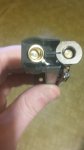
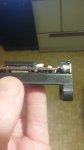
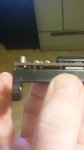
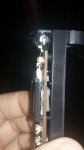
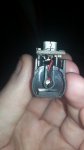
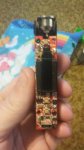
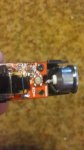
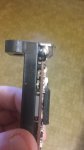
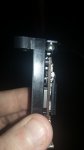
After watching videos, I learned how to take it apart and expected to see some kind of connection problem, but everything looks good regarding wiring. I've taken pictures that I'm hoping will show you an issue that I'm not seeing. I apologize for so many, as I wanted to make sure to get all angles. If other pictures need to be taken with the circuit board unscrewed, I can do that.
One thing that I'd like to add is that this device has taken many falls. From being in her lap and standing up to hit the carpet, to getting out of the car and it hitting pavement. It has always continued to work, but honestly I'm surprised the tank hasn't cracked. So even though nothing happened last night, there could easily have been a problem just waiting to occur internally from the previous falls.
First time posting and just joined the community. My girlfriend was using her subnano last night before going to sleep, and it was working fine. She woke up this morning to find it not turning on(display) and not firing when holding the button. It did not fall, and was not plugged in to cause any sort of electrical surge. She was sleeping with it so the worst I believe that could happen was the button was possibly pressed/held while sleeping. I switched batteries to test, as well as plugging it in the mini-usb port, but it never displays anything.
After watching videos, I learned how to take it apart and expected to see some kind of connection problem, but everything looks good regarding wiring. I've taken pictures that I'm hoping will show you an issue that I'm not seeing. I apologize for so many, as I wanted to make sure to get all angles. If other pictures need to be taken with the circuit board unscrewed, I can do that.
One thing that I'd like to add is that this device has taken many falls. From being in her lap and standing up to hit the carpet, to getting out of the car and it hitting pavement. It has always continued to work, but honestly I'm surprised the tank hasn't cracked. So even though nothing happened last night, there could easily have been a problem just waiting to occur internally from the previous falls.
Attachments
-
 20161014_094038.jpg601.7 KB · Views: 8
 -
 20161014_094125.jpg571.6 KB · Views: 7
 -
 20161014_094128.jpg525.9 KB · Views: 7
 -
 20161014_094329.jpg597.9 KB · Views: 8
 -
 20161014_094438.jpg599.6 KB · Views: 6
 -
 20161014_100318.jpg733.3 KB · Views: 6
 -
 20161014_100532.jpg821.1 KB · Views: 6
 -
 20161014_094049.jpg608.9 KB · Views: 6
 -
 20161014_094338.jpg542.8 KB · Views: 6
Last edited:
