

The Eureka Aero Pro is lightly marketed as a gaming desk, and it no doubt provides some cool additions that sell that vibe. But this wing-shaped delight is fitting for any type of user seeking a sturdy standing desk with plenty of space and an immersive viewing angle. With a starting price of $809, the Eureka Aero Pro is a great, feature-filled buy in the premium desk space.
The Eureka Aero Pro is quite a dashing wing-shaped standing desk. I tested the walnut variation, but it also comes in a sleek black or light maple color scheme, the latter of which sports a white frame that would look good in a clean, minimalist setup. I found the walnut version to be a perfect blend between the other two offerings, and it blends very well into a station designed for both productivity and gaming.
Still, I've never been a fan of multi-piece desktops, and I wouldn't say the Eureka Aero Pro has convinced me to feel any differently. You can clearly see the seam where the wings connect to the center piece, causing it to be the desk's one undeniably unattractive quality. But with large desk mats becoming the norm in most setups these days, it's an easy enough blemish to minimize, and the large mousepad Eureka includes with the desk gets that job done just fine.
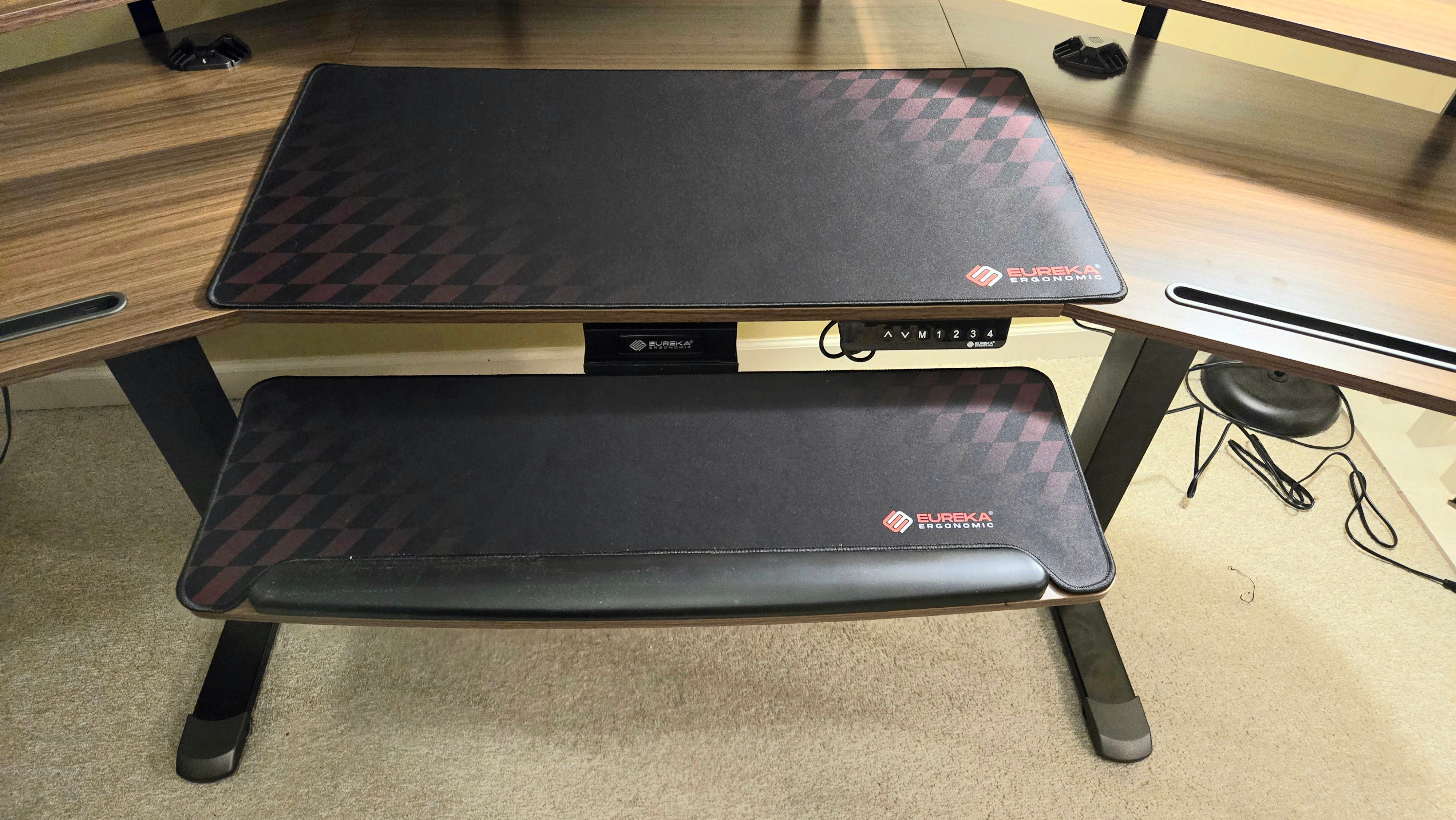
The Eureka Aero Pro's frame is very sturdy all along its 29.5" - 48" height spectrum. The dual motor system is exceedingly quiet, and you can use the user-friendly keypad to program up to four different presets to make your life a bit easier, too. Meanwhile, the desktop itself supports a maximum weight of 220lbs, which is fairly standard for gaming desks of this size.
Though the sturdy frame and relatively high-quality desktop gives me plenty of confidence that the Eureka Aero Pro will hold up fine, its limited five-year warranty admittedly pales in comparison to the 15-year warranties of many other premium desks, such as the FlexiSpot E7 Pro.
The winged design of the desk coupled with its three shelves along the back of the desktop certainly adds an immersive quality to multi-monitor setups, but it's the keyboard tray that stands out as Eureka Aero Pro's most compelling feature. It allows for 360-degree horizontal rotation and 15-degrees of tilt, making it a champion of ergonomics when combined with its comfortable wrist rest.
See more in our guide to the Best Gaming Monitors.
The Eureka Aero Pro comes with two pads – one for the desktop and another for the keyboard tray. I don’t love the faded checkered flag aesthetic on these, but they function well for general use. Competitive gamers may want to consider swapping them for something a bit more tailored to their specific genre, though.
Two handy cable management trays can be attached on the bottom left and right of the desktop, and the frame's power cables are all easily hidden by using the adhesive wire holders that can be applied anywhere you'd like under the desk. This is all pretty standard stuff, but it's very appreciated in a day and age where much of our tech is condensed onto a computer desk.
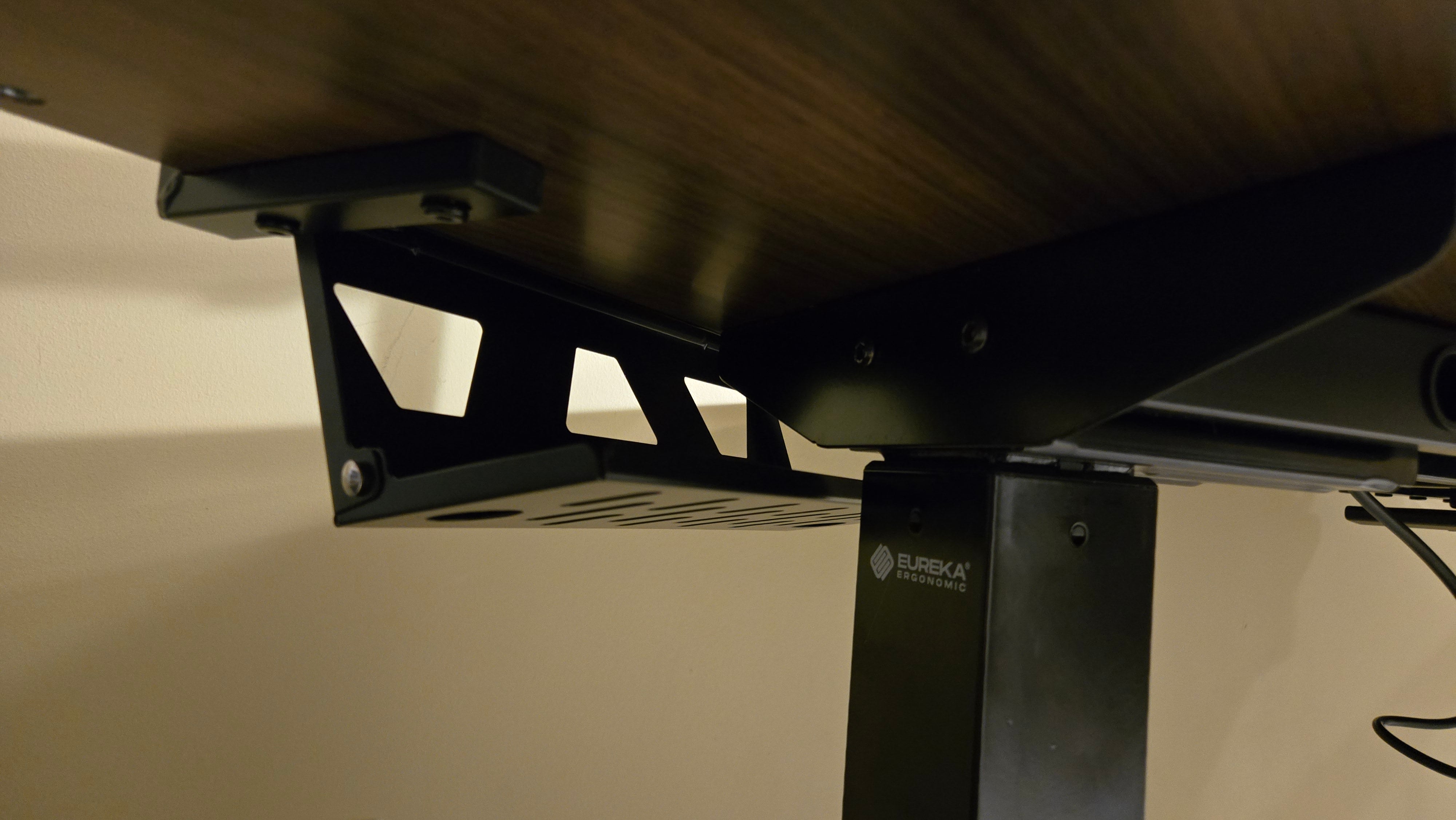
There are some handy accessories included, too, such as a dual hanging headset bar and a drink holder, both of which are easily attached under the left and right sides of the desktop, respectively. And I really like the thin slots on each side of the desk that provide a way to prop up a tablet or phone for easy access. While none of this is necessarily gaming-specific, Eureka was clearly aiming for that demographic with such neat little conveniences.
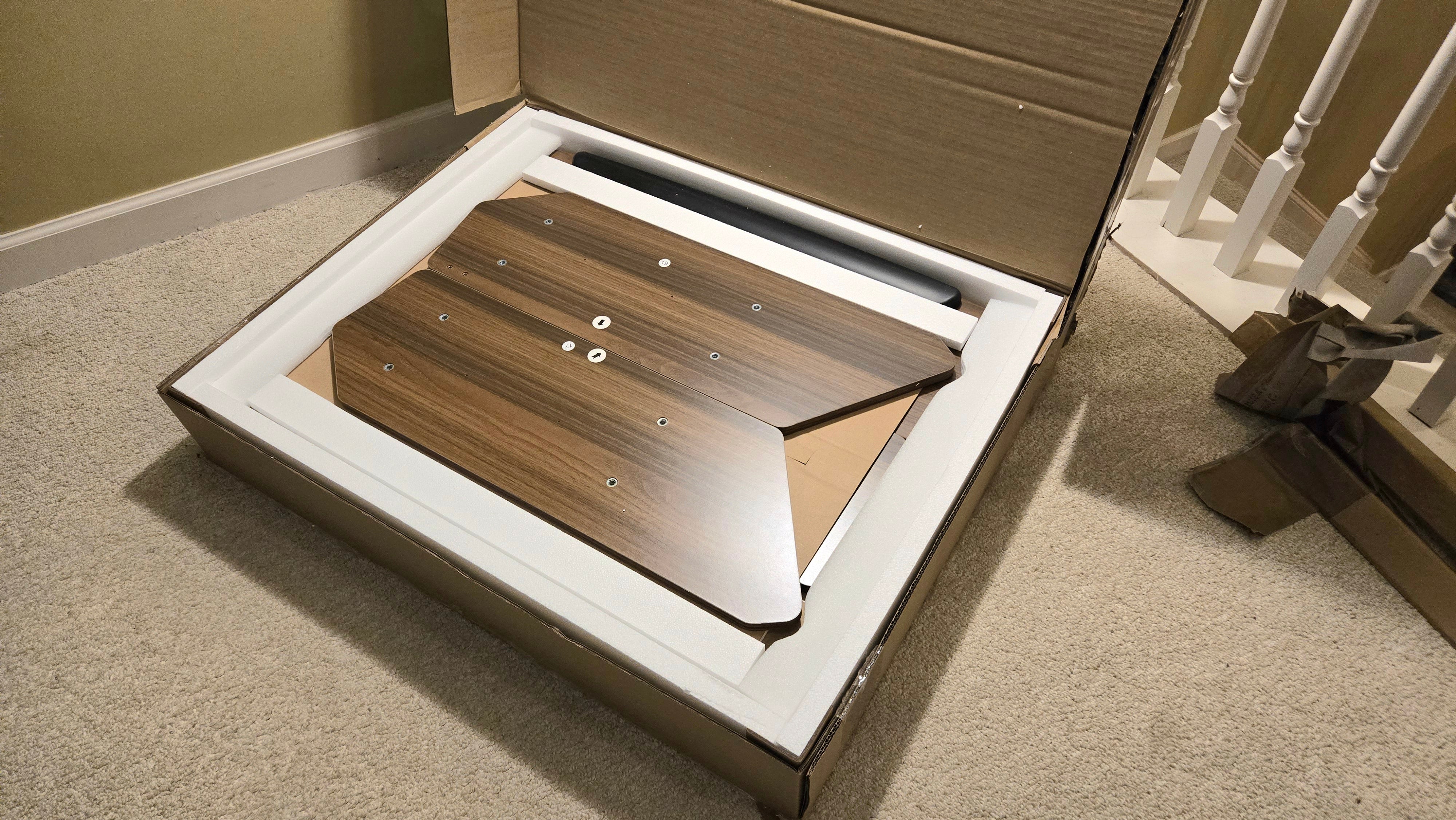
The Eureka Aero Pro arrived in two decently-sized and heavy boxes. Both were a hassle to open due to over-taping and unnecessary amounts of outer packaging, but once I worked through all of that, I appreciated that everything inside arrived well-protected by multiple layers of styrofoam.
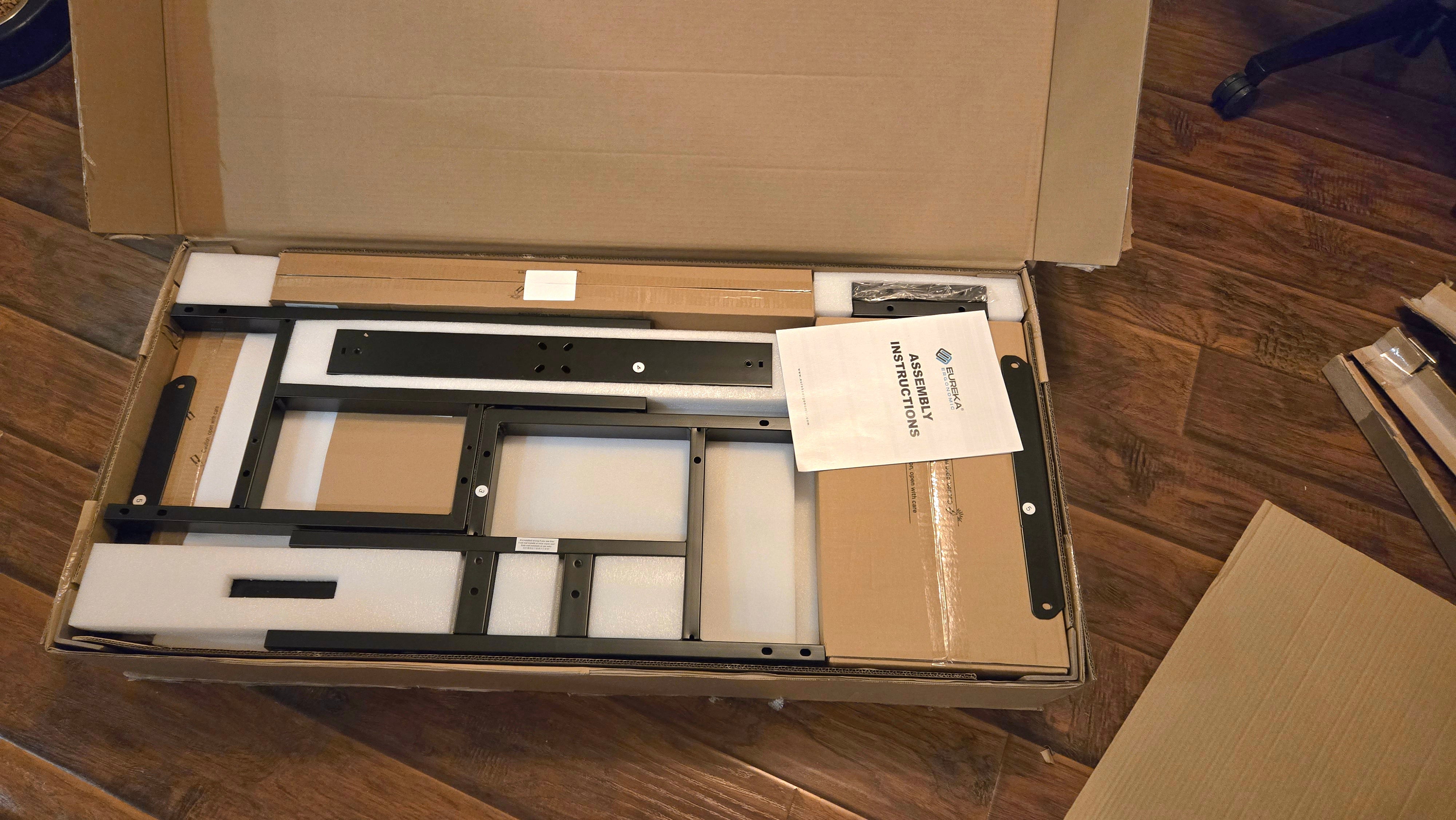
Assembling the Eureka Aero Pro will require most folks to set aside a decent block of time – maybe even upwards of an hour. The included instructions make each step easy to grasp, but there's a lot to attend to during the building process – especially if you're adding all of the attachments or going through the tedious step of applying and connecting the various included RGB lights.
Some of the parts are heavy and cumbersome, too, so a few sections of the assembly really benefit from having two hands on deck. Most notably, flipping the desk over after connecting the frame is quite an undertaking for someone like me with a bad back, and attaching the monitor shelves from below was a bit of a challenge until my wife helped me hold them in place from above while I screwed in the screws.
Though it functions equally well as a basic workstation, the Eureka Aero Pro also (mostly) meets the needs gaming enthusiasts will have for an ergonomic, feature-packed arrangement.
Perhaps the best aspect of the desk for gaming is the way its wing-shaped design makes for an ideal multi-monitor setup. You can easily fit up to three moderately-sized monitors along its shelves – or a couple of ultrawides – to create an immersive battlestation. And though many folks are likely to opt for keeping their keyboard and mouse on the desktop itself, those who store them on the keyboard tray will find that making adjustments to it can reduce a bit of strain on your hands and wrists during long sessions.
It's worth noting, though, that the Eureka Aero Pro's winged design coupled with monitor shelves has one drawback: there's really nowhere to put a tower. Of course, if you're rocking a laptop or mini gaming PC, it'll slot under one of the shelves without a problem. But if you have a beefier rig, you'll need an additional shelf or table, unless you're comfortable with your PC chilling on the floor by the desk's legs.
The Eureka Aero Pro can be purchased from Eureka. The desk starts at $809 for the 63" x 23" model, while the 72" x 23" version bumps the total cost to $1069.
Continue reading...
Eureka Aero Pro – Design and Features
The Eureka Aero Pro is quite a dashing wing-shaped standing desk. I tested the walnut variation, but it also comes in a sleek black or light maple color scheme, the latter of which sports a white frame that would look good in a clean, minimalist setup. I found the walnut version to be a perfect blend between the other two offerings, and it blends very well into a station designed for both productivity and gaming.
Still, I've never been a fan of multi-piece desktops, and I wouldn't say the Eureka Aero Pro has convinced me to feel any differently. You can clearly see the seam where the wings connect to the center piece, causing it to be the desk's one undeniably unattractive quality. But with large desk mats becoming the norm in most setups these days, it's an easy enough blemish to minimize, and the large mousepad Eureka includes with the desk gets that job done just fine.

The Eureka Aero Pro's frame is very sturdy all along its 29.5" - 48" height spectrum. The dual motor system is exceedingly quiet, and you can use the user-friendly keypad to program up to four different presets to make your life a bit easier, too. Meanwhile, the desktop itself supports a maximum weight of 220lbs, which is fairly standard for gaming desks of this size.
Though the sturdy frame and relatively high-quality desktop gives me plenty of confidence that the Eureka Aero Pro will hold up fine, its limited five-year warranty admittedly pales in comparison to the 15-year warranties of many other premium desks, such as the FlexiSpot E7 Pro.
The winged design of the desk coupled with its three shelves along the back of the desktop certainly adds an immersive quality to multi-monitor setups, but it's the keyboard tray that stands out as Eureka Aero Pro's most compelling feature. It allows for 360-degree horizontal rotation and 15-degrees of tilt, making it a champion of ergonomics when combined with its comfortable wrist rest.
Complete Your Battlestation
See more in our guide to the Best Gaming Monitors.
The Eureka Aero Pro comes with two pads – one for the desktop and another for the keyboard tray. I don’t love the faded checkered flag aesthetic on these, but they function well for general use. Competitive gamers may want to consider swapping them for something a bit more tailored to their specific genre, though.
Two handy cable management trays can be attached on the bottom left and right of the desktop, and the frame's power cables are all easily hidden by using the adhesive wire holders that can be applied anywhere you'd like under the desk. This is all pretty standard stuff, but it's very appreciated in a day and age where much of our tech is condensed onto a computer desk.

There are some handy accessories included, too, such as a dual hanging headset bar and a drink holder, both of which are easily attached under the left and right sides of the desktop, respectively. And I really like the thin slots on each side of the desk that provide a way to prop up a tablet or phone for easy access. While none of this is necessarily gaming-specific, Eureka was clearly aiming for that demographic with such neat little conveniences.
Eureka Aero Pro – Assembly
The Eureka Aero Pro arrived in two decently-sized and heavy boxes. Both were a hassle to open due to over-taping and unnecessary amounts of outer packaging, but once I worked through all of that, I appreciated that everything inside arrived well-protected by multiple layers of styrofoam.

Assembling the Eureka Aero Pro will require most folks to set aside a decent block of time – maybe even upwards of an hour. The included instructions make each step easy to grasp, but there's a lot to attend to during the building process – especially if you're adding all of the attachments or going through the tedious step of applying and connecting the various included RGB lights.

Some of the parts are heavy and cumbersome, too, so a few sections of the assembly really benefit from having two hands on deck. Most notably, flipping the desk over after connecting the frame is quite an undertaking for someone like me with a bad back, and attaching the monitor shelves from below was a bit of a challenge until my wife helped me hold them in place from above while I screwed in the screws.
Eureka Aero Pro – Gaming
Though it functions equally well as a basic workstation, the Eureka Aero Pro also (mostly) meets the needs gaming enthusiasts will have for an ergonomic, feature-packed arrangement.
Perhaps the best aspect of the desk for gaming is the way its wing-shaped design makes for an ideal multi-monitor setup. You can easily fit up to three moderately-sized monitors along its shelves – or a couple of ultrawides – to create an immersive battlestation. And though many folks are likely to opt for keeping their keyboard and mouse on the desktop itself, those who store them on the keyboard tray will find that making adjustments to it can reduce a bit of strain on your hands and wrists during long sessions.
It's worth noting, though, that the Eureka Aero Pro's winged design coupled with monitor shelves has one drawback: there's really nowhere to put a tower. Of course, if you're rocking a laptop or mini gaming PC, it'll slot under one of the shelves without a problem. But if you have a beefier rig, you'll need an additional shelf or table, unless you're comfortable with your PC chilling on the floor by the desk's legs.
Purchasing Guide
The Eureka Aero Pro can be purchased from Eureka. The desk starts at $809 for the 63" x 23" model, while the 72" x 23" version bumps the total cost to $1069.
Continue reading...